Special Topics Module 2
Prototyping: Test, Reflect, Repeat
Khant Nyar Lu
Design Statement
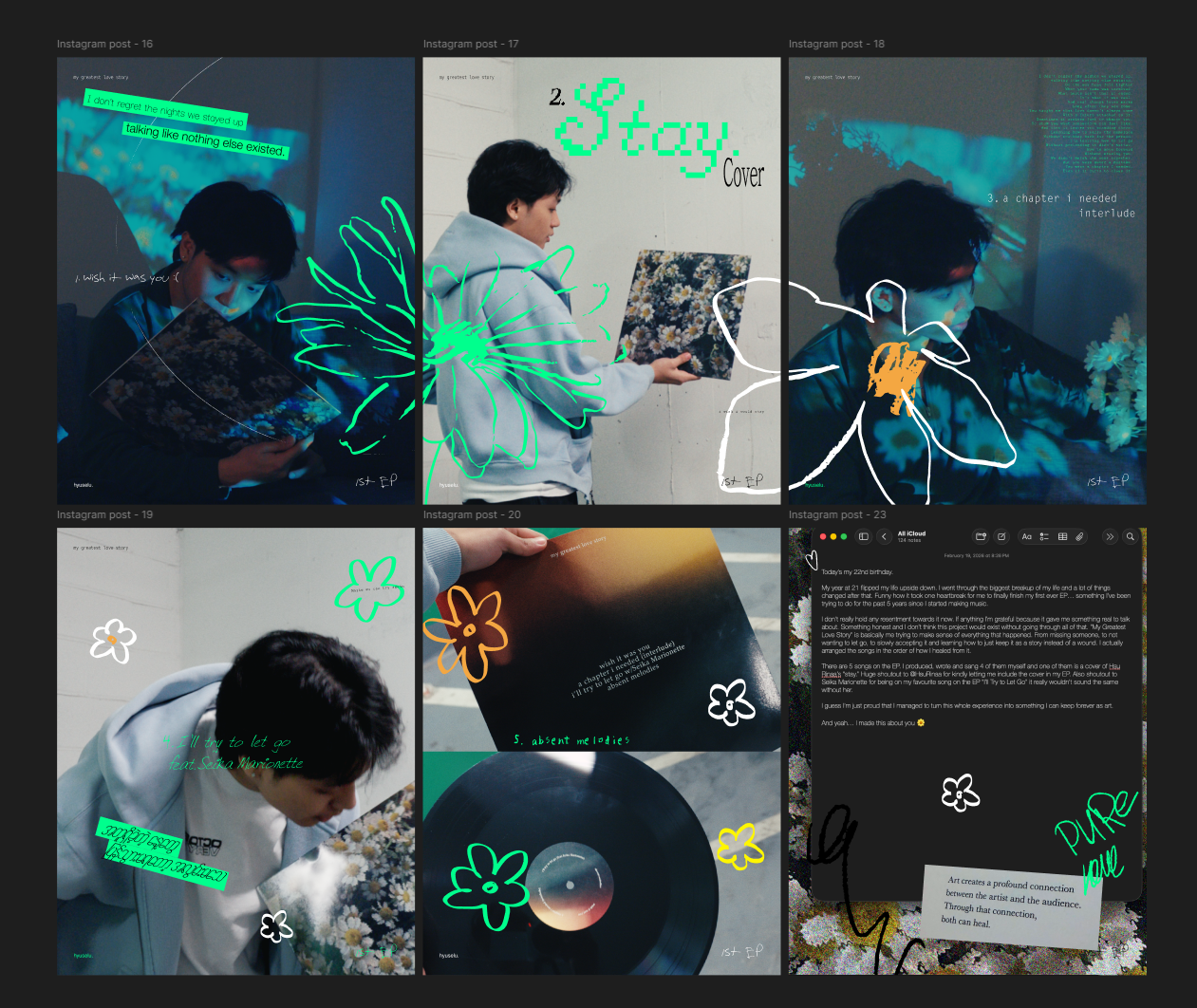
In this module, I committed to deepening my technical fluency in TouchDesigner while exploring how audiovisual systems can serve my music and creative identity. Working alongside my teammate Bre Velasco, we each pursued parallel explorations to understand the boundaries and possibilities of using TouchDesigner and Ableton together before combining our findings. While Bre focused on integrating Ableton into her TouchDesigner visual workflow and MediaPipe hand tracking as a control system, I focused on using hand tracking and gesture controls to interact with and shape audio inside Ableton. Activity 1 centred on creating a music visualizer for my own released music using the collage glitch technique in TouchDesigner. Activity 2 extended this into gesture-controlled sound design, where I used MediaPipe hand tracking through TDAbleton to manipulate parameters inside Ableton's Granulator and Mappable XY pad simultaneously using both hands. Our individual explorations this module will directly inform how we combine our strengths in the final project.
Activity 1: Music Visualizer (Collage Glitch)
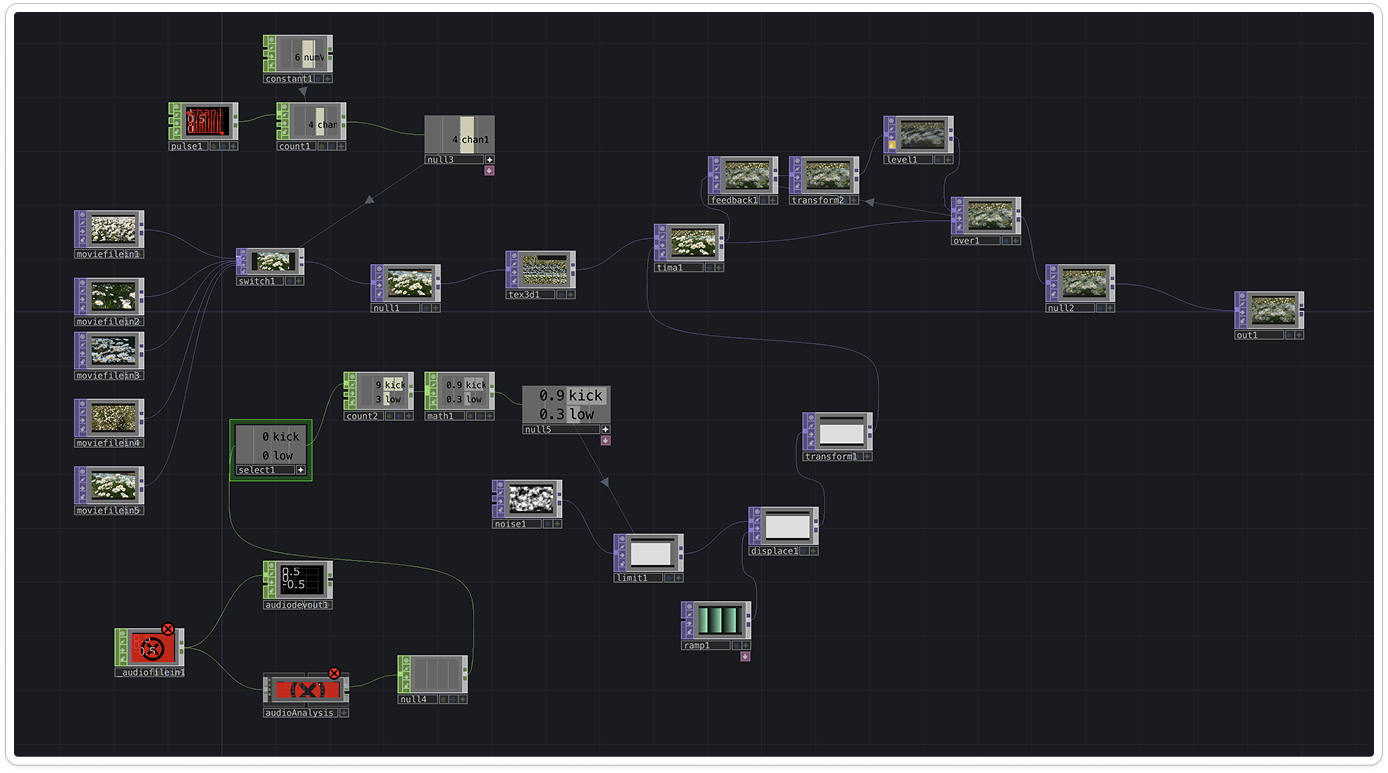
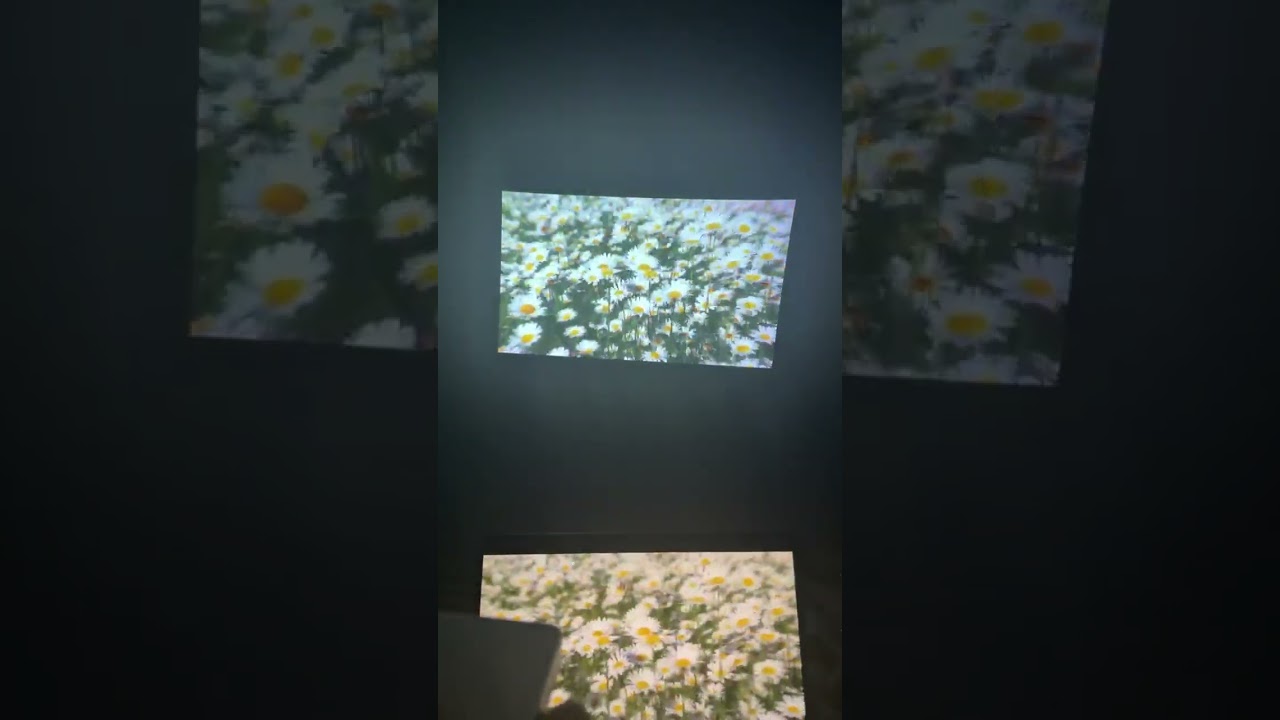
Around the time of this activity, I happened to release my own music. It felt like a natural opportunity to learn TouchDesigner in a way that was actually meaningful to me, so I decided to create a music visualizer for my own track rather than following a tutorial with placeholder content. Using the collage glitch technique by Ross (2021), I built a TouchDesigner network that cycles through five daisy flower video clips and makes them react in real time to audio analysis of my track. Rather than using the kick channel as the tutorial demonstrated, I substituted the LOW frequency band, capturing sub-bass and bass, which produced a heavier and more continuous visual response that better matched the energy of the music. I tested the output on a home projector, and seeing the daisy visuals at full scale was genuinely surprising in a good way.
Activity 2: Hand Tracking and Granulator Control
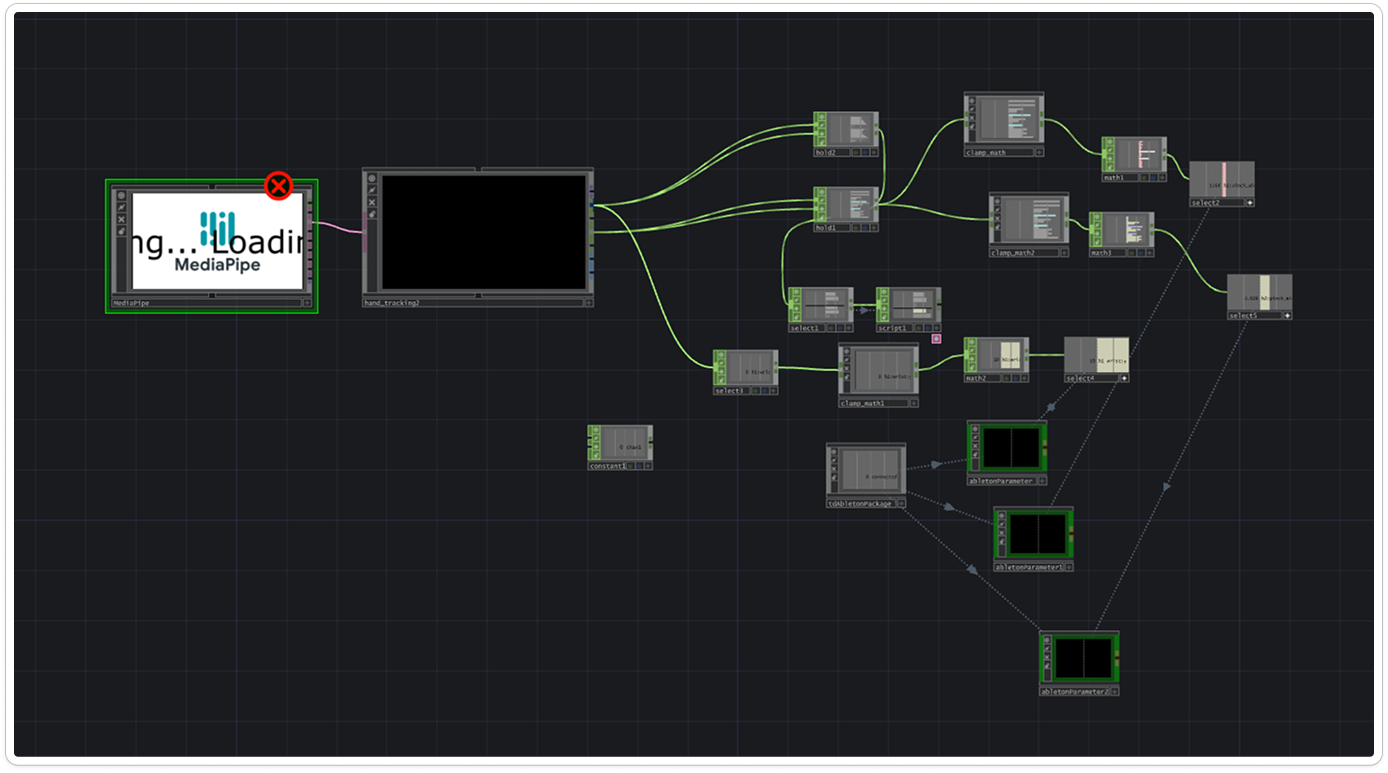
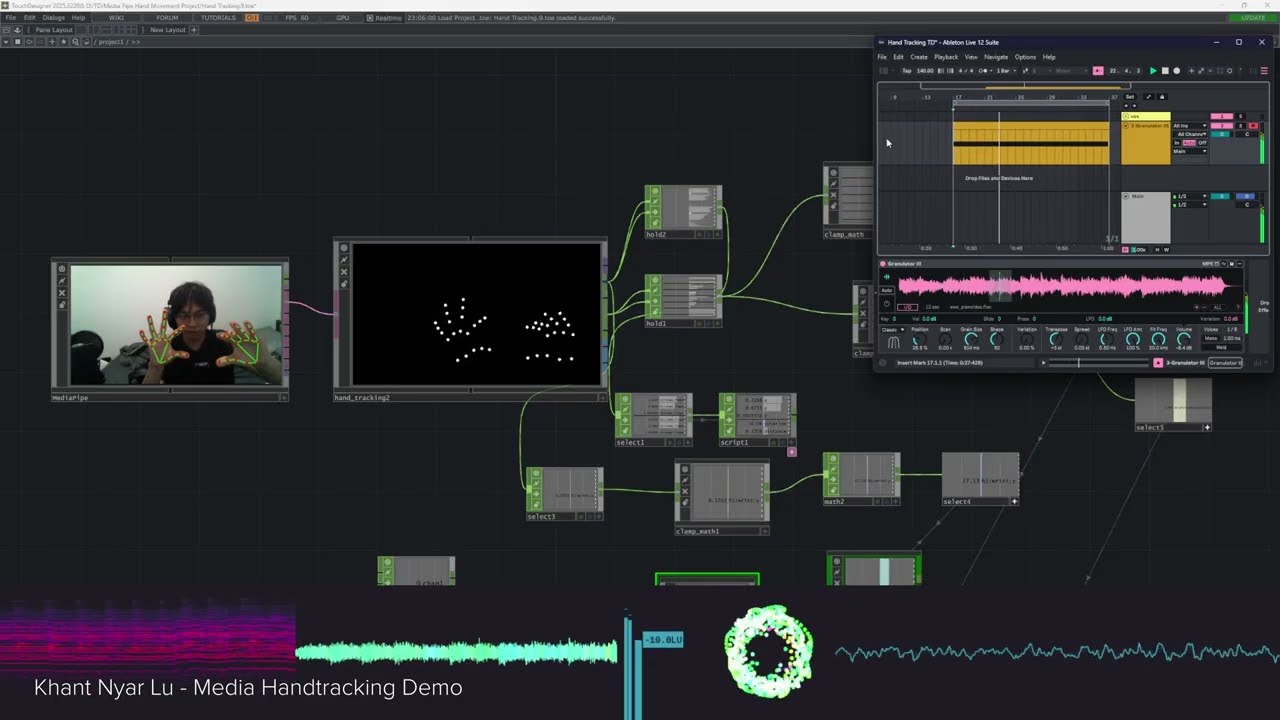
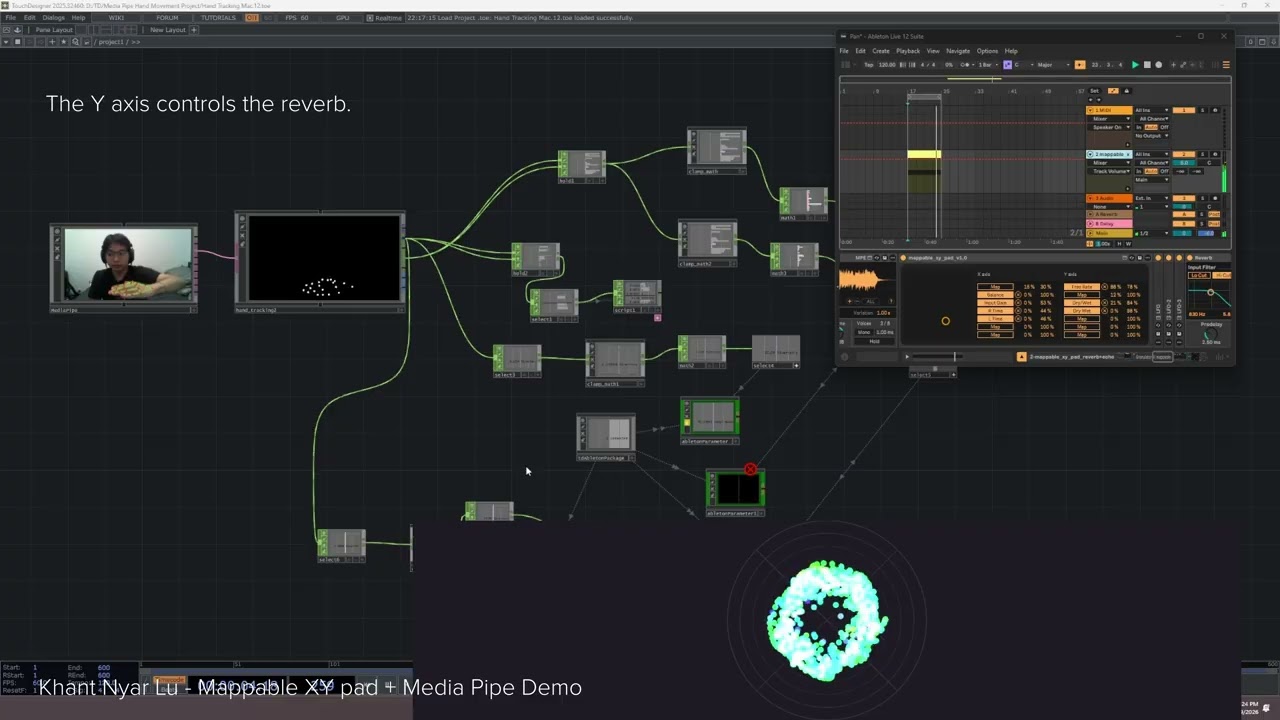
Activity 2 flips the relationship from Activity 1. Where the first activity had music driving visuals, this one puts the body in control of the music itself. After installing TDAbleton to bridge TouchDesigner and Ableton Live, I used the MediaPipe hand tracking component to capture live hand landmark data from my webcam. I built a node network that maps three simultaneous gesture controls to parameters inside Ableton's Granulator: right hand wrist Y position controls sample position, right hand index-thumb pinch distance controls sample duration, and left hand index-thumb pinch distance controls pitch. I also extended the system using a Max for Live device called Mappable XY pad, where my hand position in 2D space controls both stereo panning on the X axis and reverb on the Y axis simultaneously. Going beyond the original tutorials, I was able to improvise melodic phrases over a piano sample using only hand movement.
Peer Feedback Reflection
Because my work sits at the intersection of music production, TouchDesigner, and gesture interaction, the feedback I received was mixed in terms of depth. Some peers were not familiar enough with the technical side to give specific critique, but that was not necessarily a bad thing. Their responses reflected what mattered from an outside perspective: the gesture system looked expressive and intuitive, and the idea of controlling music with your hands in real time was immediately interesting to watch even without context.
The most useful feedback was the encouragement to push the gesture system further and think about combining Activity 1 and Activity 2 into a single live system where hand tracking drives both the Granulator and the daisy visualizer simultaneously. Peers also raised the question of performance context, noting that gesture readability from a distance and stage presence are worth thinking about as the work moves toward a final prototype.
Overall the feedback confirmed that the direction is right, and that the most interesting version of this work is one where audio and visuals are controlled together through a unified gesture-driven system.
Next Steps
1. Reconvene with Bre
Meet with Bre to share findings from both of our Module 2 explorations and align on what each of us brings to the table going into Project 3.
2. Develop a Polished Interaction Concept
Come up with a more refined and intentional way to interact with audio and TouchDesigner that highlights the skills we have each built across this module, moving beyond individual prototypes toward something cohesive and presentable.
3. Finalize the Project 3 Direction
Settle on a clear direction for Project 3, including how we split the work, what each module looks like, and how the audio and visual sides will combine into a unified final product.
Progress Check-in
Working Concept and Project 3 Direction
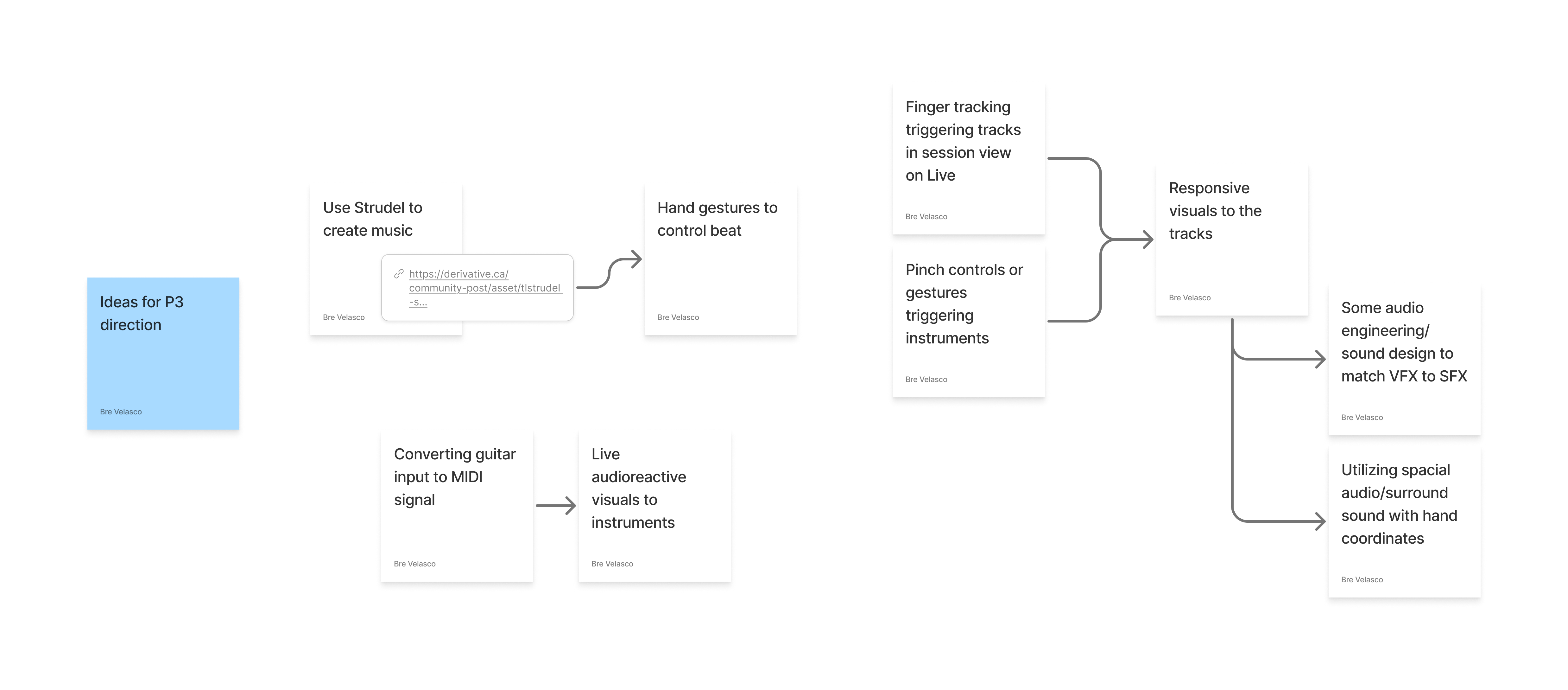
Throughout this module, Bre and I kept regular communication as we each explored each other's disciplines. While I was building gesture-controlled audio systems in Ableton using TouchDesigner, she was exploring how to integrate Ableton into her TouchDesigner visual workflow and studying MediaPipe hand tracking from a visual perspective. This parallel structure meant we covered significantly more ground together without duplicating effort, and gave us a strong shared understanding of both sides before combining them.
After going over each other's activities, we reconvened to think about where this goes in Project 3. Bre has been brainstorming a range of directions including using Strudel to generate music, converting guitar input to MIDI signal, using finger tracking to trigger tracks in Ableton's session view, and utilizing spatial audio with hand coordinates. We have not finalized a direction yet, but the approach we are leaning toward is a split where I build a dedicated audio module in TouchDesigner and Ableton while Bre builds the corresponding visual module, and we combine them into a single unified final product. The goal is for each of us to play to our individual strengths while producing something that works together as a complete interactive audiovisual system.